How to Reset an Account Password
This article guides users through the process of recovering access to their SmartProperty account when they cannot remember their login credentials.
Line spacing for this document is set to 1.15 for readability.
Overview
The Account Password Reset feature allows users to securely recover their SmartProperty portal access by triggering an automated recovery link. SmartProperty account holders use this process whenever they forget their password or are locked out of their profile. Perform these steps as soon as an authentication failure occurs to restore immediate system access.
Setup
- Roles required: Any registered SmartProperty account user role.
- Prerequisites: A valid, active email address that is already registered within the SmartProperty system.
- One-time configuration: Not applicable.
How-to
- Navigate to the SmartProperty Sign In page.
- From the bottom-right of the Sign In panel, click Can't log in?.
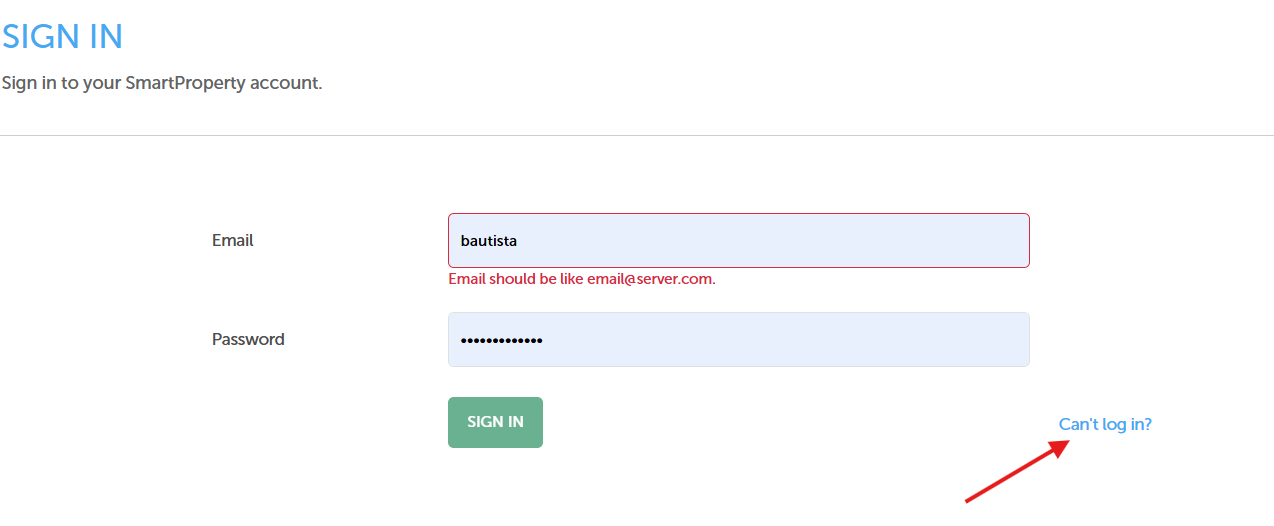
- In the Password Reset form, click the Email field and enter your registered email address.
- Click the green SUBMIT button to request your password reset link
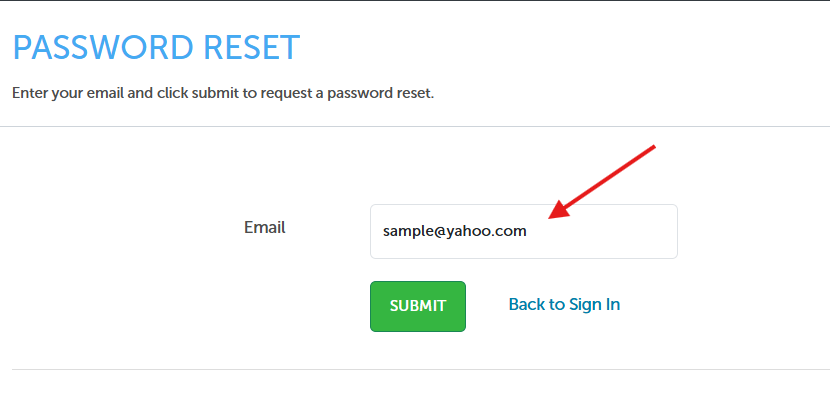
- Review the "Password Reset - Email Sent" confirmation screen to ensure the request processed.
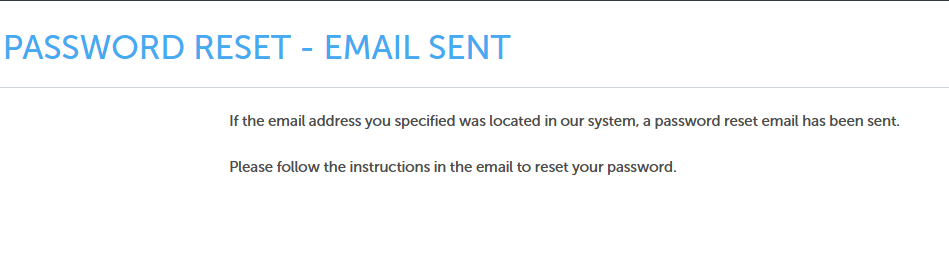
- Open your personal email inbox to retrieve the recovery instructions.
Reference
Consult this section for troubleshooting recovery communication and understanding verification constraints.
| Scenario / Element | Definition and Handling Action |
|---|---|
| Missing Recovery Email | If the confirmation email does not appear in your primary inbox within 5 minutes, check your Spam or Junk folder, as automated security alerts are occasionally misrouted by email providers. |
| Unregistered Email Entry | For security and anti-phishing reasons, the system displays a success screen even if the email entered does not exist in the platform. No email will be dispatched if the address is not explicitly located in the system. |
| Email Format Error | The entry field checks for a structured format. Ensure your input contains a standard prefix, the "@" symbol, and an explicit domain (e.g., email@server.com) to avoid structural validation errors. |