How to Register on the SmartProperty Portal
This article guides new users through creating a SmartProperty portal account to access their property information and community features.
Overview
The SmartProperty registration process allows new users to create an account and gain secure access to the platform's features. Community members, property managers, and board members use this process when onboarding onto the platform for the first time. Complete this registration upon receiving an invite code or initial instructions from your property management team.
Setup
- Roles required: Any prospective SmartProperty user (Community Members, Managers, or Board Members).
- Prerequisites: A valid email address and access to the registration URL.
- One-time configuration: An invitation code provided by your property management team (optional but recommended for auto-linking your property).
How-to
- Navigate to the SmartProperty registration link athttps://app.smartproperty.com/#/signin.
- From the top-right corner of the top navigation bar, click SIGN UP.
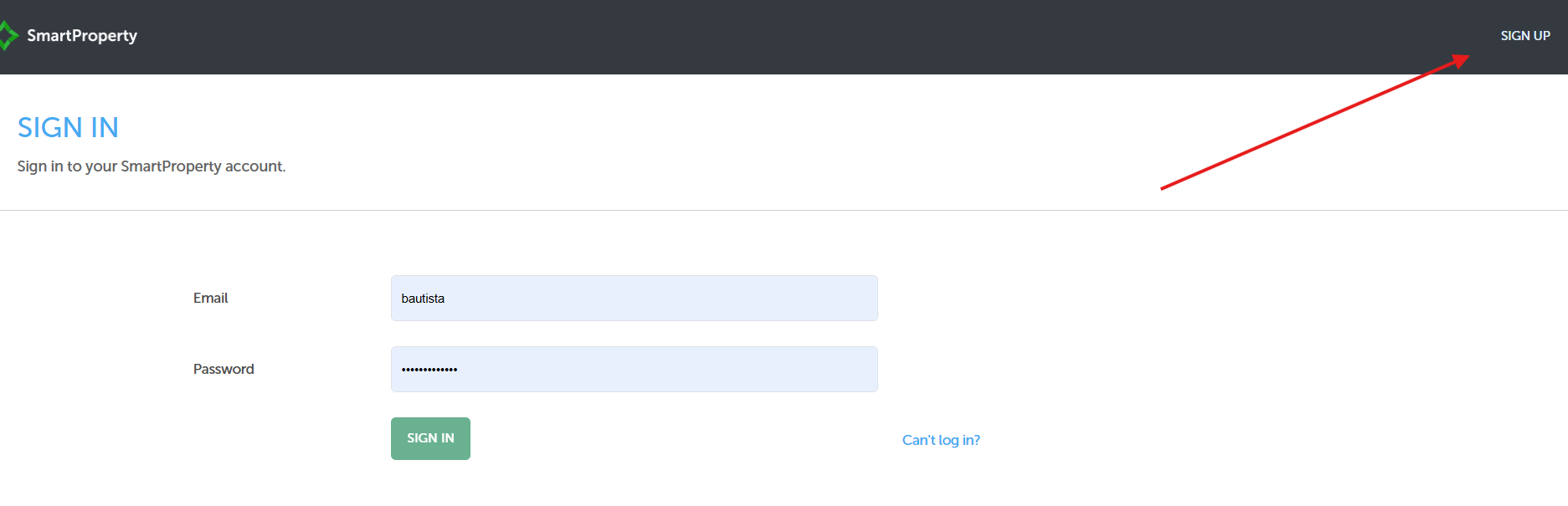
- In the First Name * field, enter your first name.
- In the Last Name * field, enter your last name.
- In the Email * field, enter your active personal or professional email address.
- In the Password * field, enter a password that adheres to the password complexity rules.
- In the Confirm Password * field, re-enter your password exactly as specified in the previous step.
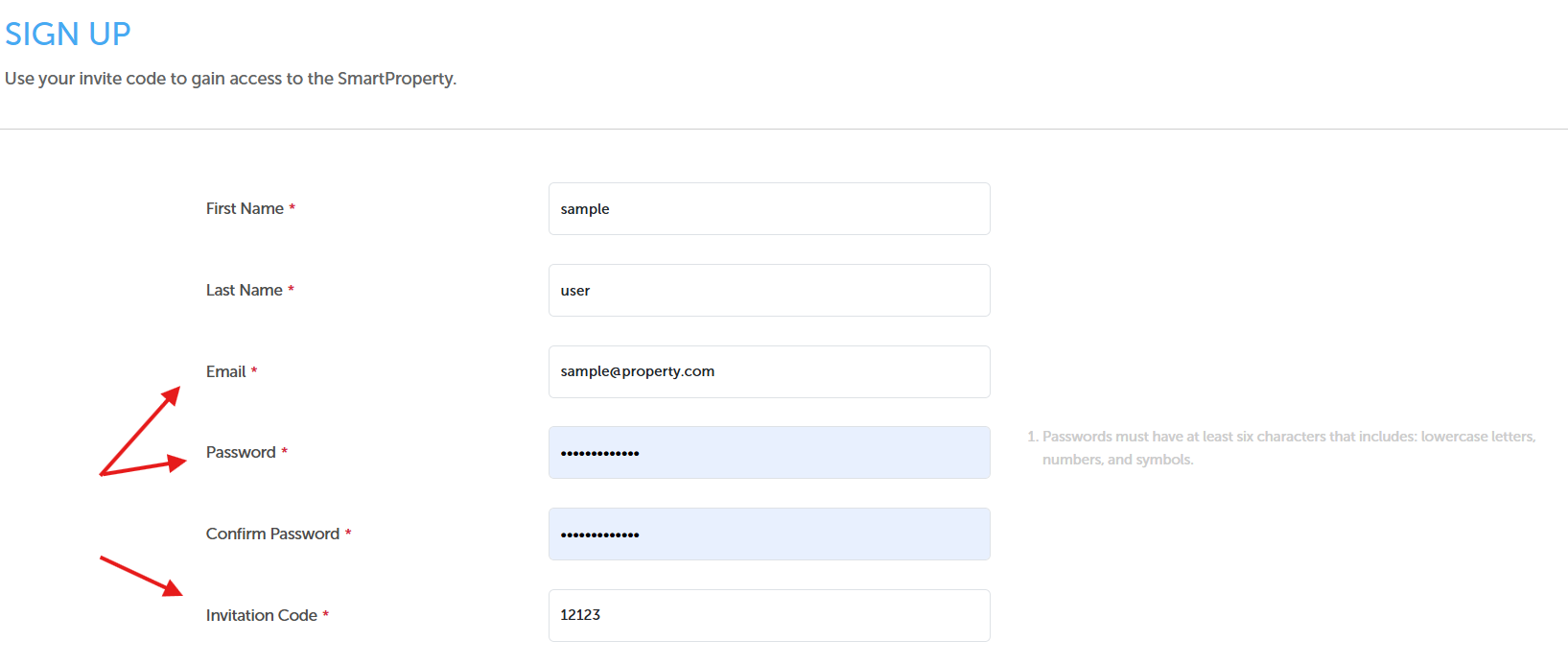
- In the Invitation Code * field, enter your unique signup code if you received one; otherwise, leave this field blank.
- Click the SUBMIT button at the bottom of the page to complete your registration request.
- Check your email inbox for a verification or welcome message to finalize your registration.
Reference
Consult this section for field definitions, input requirements, and common onboarding exceptions.
| Field / Element | Requirement / Meaning |
|---|---|
| Password Complexity | Passwords must have at least six characters and must include a combination of lowercase letters, numbers, and symbols. |
| Invitation Code | A unique numeric identifier (e.g., 12123) that automatically maps your user account to your specific property or association. Leaving this empty means access must be provisioned manually by an admin. |
| Missing Email Verification | If no registration or welcome email arrives within 10 minutes, check your Spam/Junk folder before attempting to re-register. |